Related Products Setup Guide
The Related Products section (located on the default Product Page) displays same-type products (e.g., other snowboards for a snowboard product page) to help customers discover more relevant items. It’s a key tool for cross-selling — encouraging users to explore additional products and increase their order value.
Access Related Products settings in:
Online Store → Themes → Customize → Product page → Related products
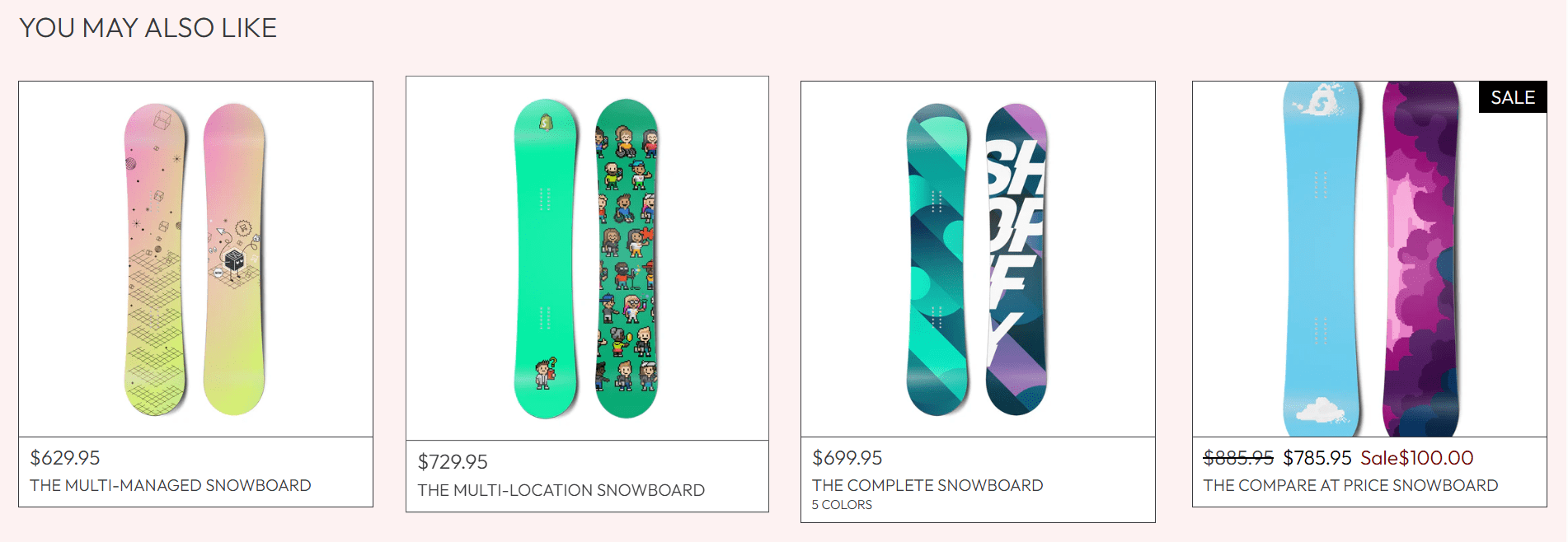
Core Functionality: Dynamic Recommendations
This section uses dynamic recommendations — it automatically selects related products based on order history, product category, and collection associations. Over time, the recommendations improve as more order/data is collected.
- By default, it shows products from the same collection as the current product (ensures recommendations are relevant, e.g., snowboards for a snowboard page).
- Recommendations update automatically — no manual curation needed (saves time for store owners).
Related Products Settings
Heading
Sets the title of the Related Products section (gives context to the recommended items).
- Default:
You may also like (friendly, inviting language). - Customize to match your tone:
Similar Products (clear, direct)Explore More (action-oriented)Complete Your Set (for complementary products)
- Keep it short (3-4 words) for scannable clarity.
Section Spacing
Adjusts padding above/below the section to fit your Product Page’s layout flow.
- Top spacing (default:
44 px): Gap between Related Products and the content above (e.g., Size Chart or Product Content). - Bottom spacing (default:
44 px): Gap between Related Products and the section below (e.g., Footer). - Match to other section spacing (e.g., Product Content) for visual consistency across the page.
Custom CSS
Advanced: Add custom CSS to modify the section’s styling (e.g., product card size, text color, spacing between cards).
Only use Custom CSS if you have CSS knowledge — incorrect code can break the layout (e.g., make product cards overlap on mobile).
Best Practices
- Ensure collection alignment: Add products to relevant collections (e.g., all snowboards in a "Snowboards" collection) — this guarantees recommendations are same-type and useful.
- Limit product count: The section auto-shows 4-6 products (ideal for scannability — too many products overwhelm visitors).
- Test relevance: Check a few product pages to confirm recommendations are same-type (e.g., a dress page should show other dresses, not shoes).
- Mobile-optimize: Ensure product cards stack neatly on mobile (no tiny images or unreadable text).
- Avoid competing with the main product: Don’t show heavily discounted items here that might distract from the current product — focus on complementary/same-type options.
Related Products is a low-effort, high-reward tool for boosting sales — by showing relevant same-type items, you make it easy for customers to explore more of your store (and add extra items to their cart)!