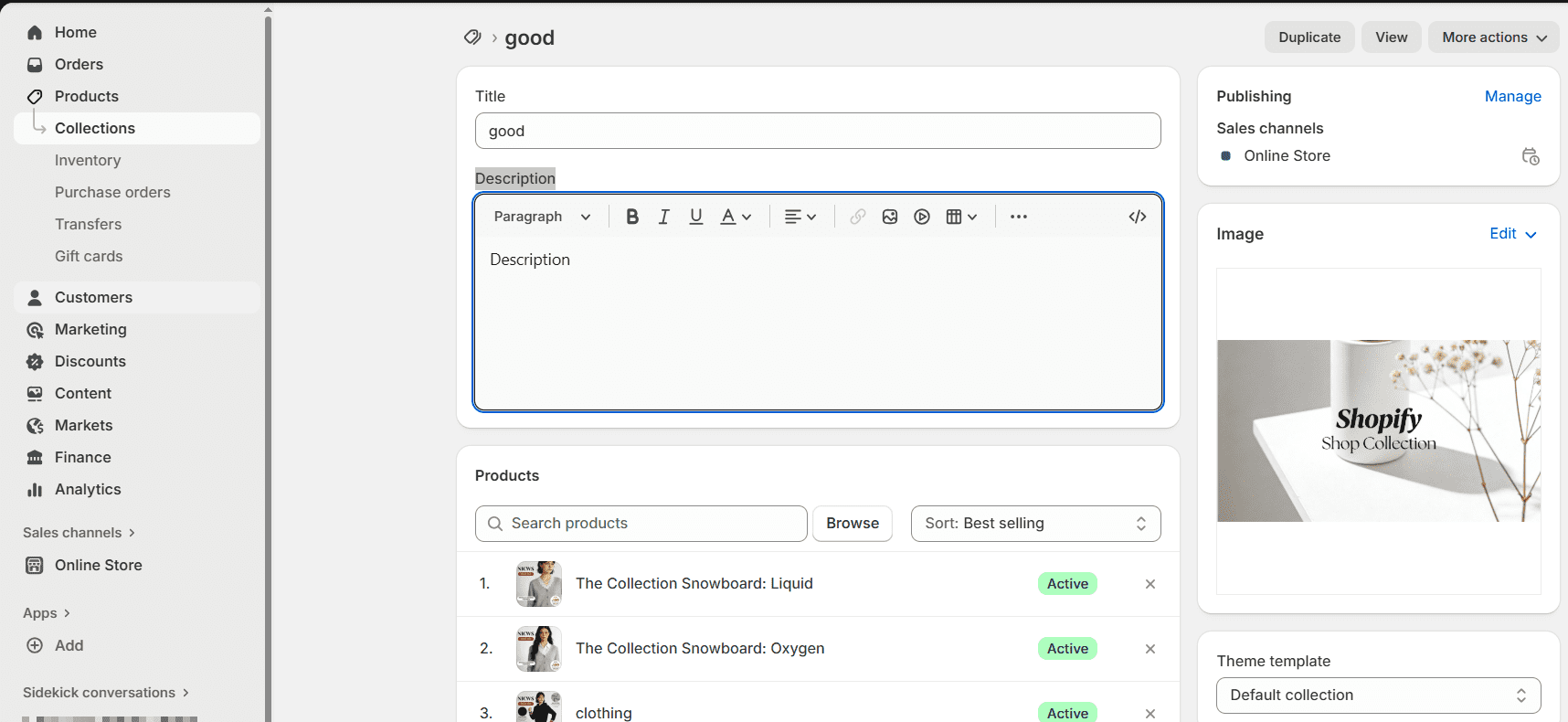
The Collection Banner is the top section of your Shopify Collection Page — it displays key information (title, image, description) for the collection. Its content (title, image, description) is automatically synced from your Collection’s backend settings (edited in Products → Collections), while its style (padding, text visibility) is configured in the theme customizer.

All content in the Collection Banner is pulled directly from your Collection’s backend setup — no manual input in the theme customizer:
Title field in the backend Collection page (e.g., "AUTOMATED COLLECTION" in the preview).Image section in the backend Collection page (upload/edit via the "Edit" button).Show collection image is enabled in the theme customizer).Description field in the backend Collection page.Show collection description is enabled).These settings control the visual presentation of the synced content:
Adjusts the internal spacing (in rem) above and below the banner’s text.
1 rem (balanced spacing for most designs).1.5-2 rem for larger banners (e.g., with long descriptions); decrease to 0.5 rem for compact layouts.Toggle to display/hide the Collection’s description (from the backend) below the title.
Slider (default: 100%) that adjusts the size of the banner’s text (title + description).
80% (subtle) and 120% (prominent) to match your page hierarchy.120% — oversized text can overflow the banner, especially on mobile.Toggle to use the Collection’s backend image as the banner’s background.
16:9 aspect ratio for the image (as noted in the settings) — this fits most banner layouts without cropping.Adds a semi-transparent overlay to the background image to make text easier to read (critical if your image has busy visuals).
Text protection layer slider (below).Adjusts the overlay’s brightness to improve text readability (only active if Use text protection layer is enabled):
0 (default): Darkens the image (best for light text on bright images).Adds a border around the entire Collection Banner section:
Show collection image but haven’t uploaded a Collection image in the backend, the banner will use a solid background (no image will display)!1920×1080 px (16:9 ratio) images for sharp, responsive banners.Text protection layer if your background image is busy — unreadable text defeats the banner’s purpose.